- Aurorium launched in 2026 as an “antidetect browser for multi-accounting” with AI-generated fingerprints. An account named Aurorium Antidetect advertises it on WWH Club, a forum the US Justice Department says existed to facilitate crime.
- A default Aurorium profile on a Mac behind ExpressVPN was flagged for review on its first visit to Maskbreak’s live check: the VPN was named and the browser read as a virtual machine.
- The fake-browser flag did not fire, so the answer was review, not block. Aurorium’s own start page had graded the same profile “Fingerprint consistency: Verified”.
- Treat a review as a step a real person can pass, count accounts per device with accountId, and test your own setup on maskbreak.com rather than trusting any vendor’s word, ours included.
On this page
Aurorium is a new antidetect browser, and an account named after it advertises it on WWH Club, a Russian-language forum the US Justice Department says existed to facilitate crime. On 30 September 2026 I installed it on a Mac, made a profile with the defaults, turned on a VPN and opened Maskbreak’s live check. First visit, no retries: Review. The check named the VPN (ExpressVPN) and read the browser as a virtual machine, on a physical Mac, while Aurorium’s own start page said “Fingerprint consistency: Verified”. Below are the screenshots, what fired, what did not, and how to run the same test on your own setup.
What Aurorium is
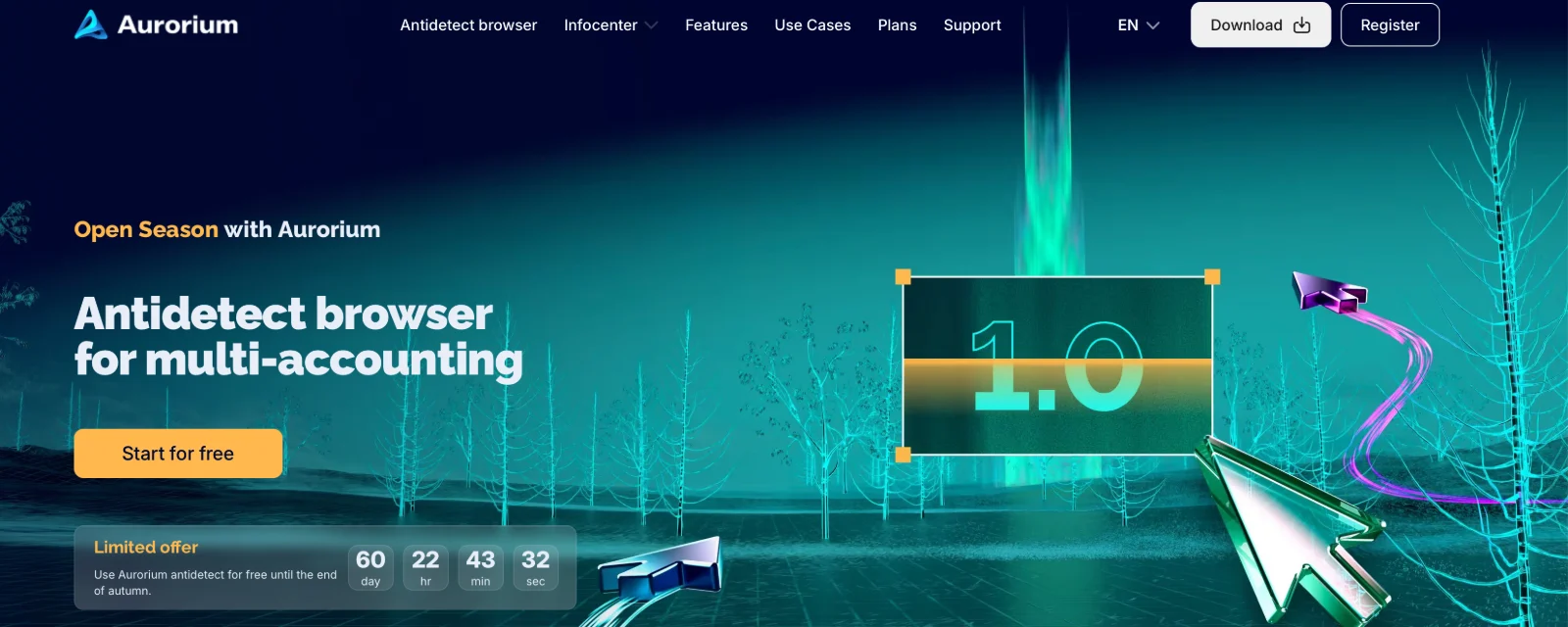
Aurorium calls itself an “Antidetect browser for multi-accounting”. Everything in this section is from aurorium.ai and its features page as they read on 30 September 2026, unless a line says otherwise.
- AI fingerprints. The site says the browser “uses neural networks to generate fingerprints that blend in with real users”, starting from “the closest matching fingerprints from a database of real devices” and tuning them to a profile of “GEO, gender, age, occupation, and even income level”.
- Hidden developer tools. “DevTools are fully masked from websites”, the features page says: it removed “the system parameter that reveals open developer tools”.
- Automation and proxies. “Selenium, Playwright, and Puppeteer support via the internal API”, and “full support for SOCKS5, HTTP, and SSH proxies”.
- Built for teams. Bulk profile creation, a cookie synchroniser, a built-in CRM and messenger, and a mobile app (for iOS and Android, according to Geekflare).
- Price. Plans run from $10 a month for 5 profiles to $299 for 1,000, with custom Enterprise pricing. The home page offered free use “until the end of autumn”; Geekflare’s review (updated 7 September 2026) puts the free Blink tier at 1 September to 30 November 2026.
- Engine and maker. The profile editor lists the engine as “Aurorium 152”, and it reported itself to my check as Chrome 152, which points to a Chromium base. The site footer names AURORIUM GROUP PTE. LTD., registered in Singapore.
Where it is advertised
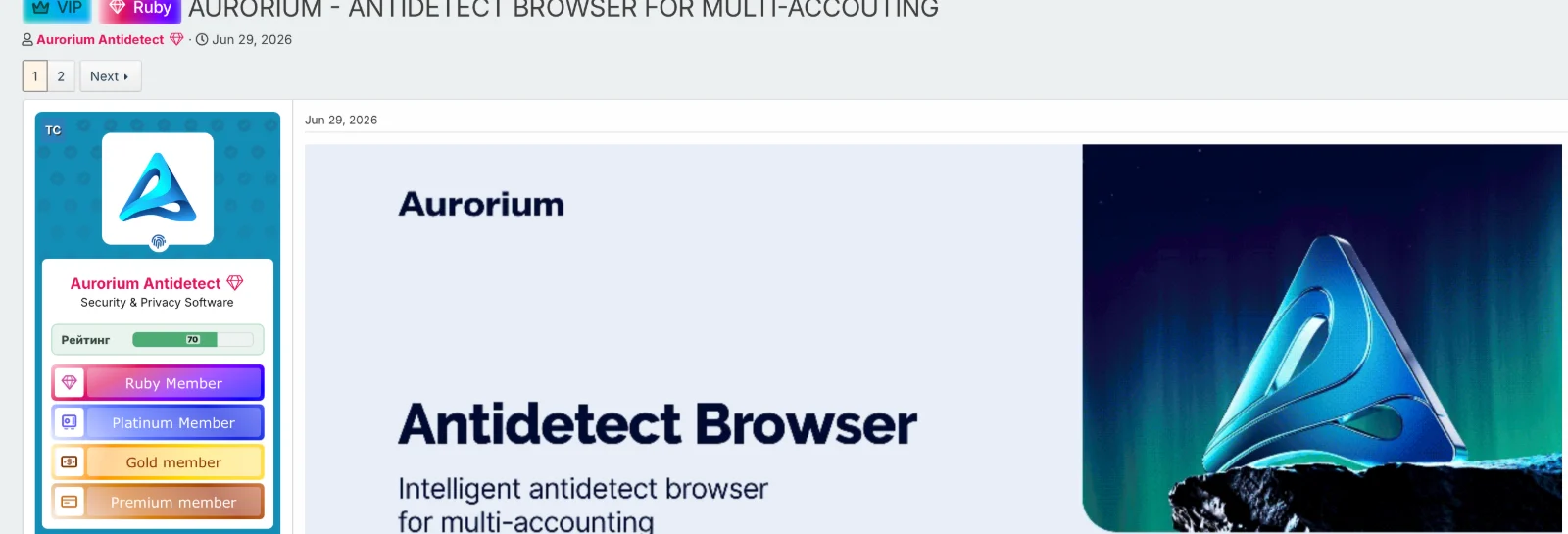
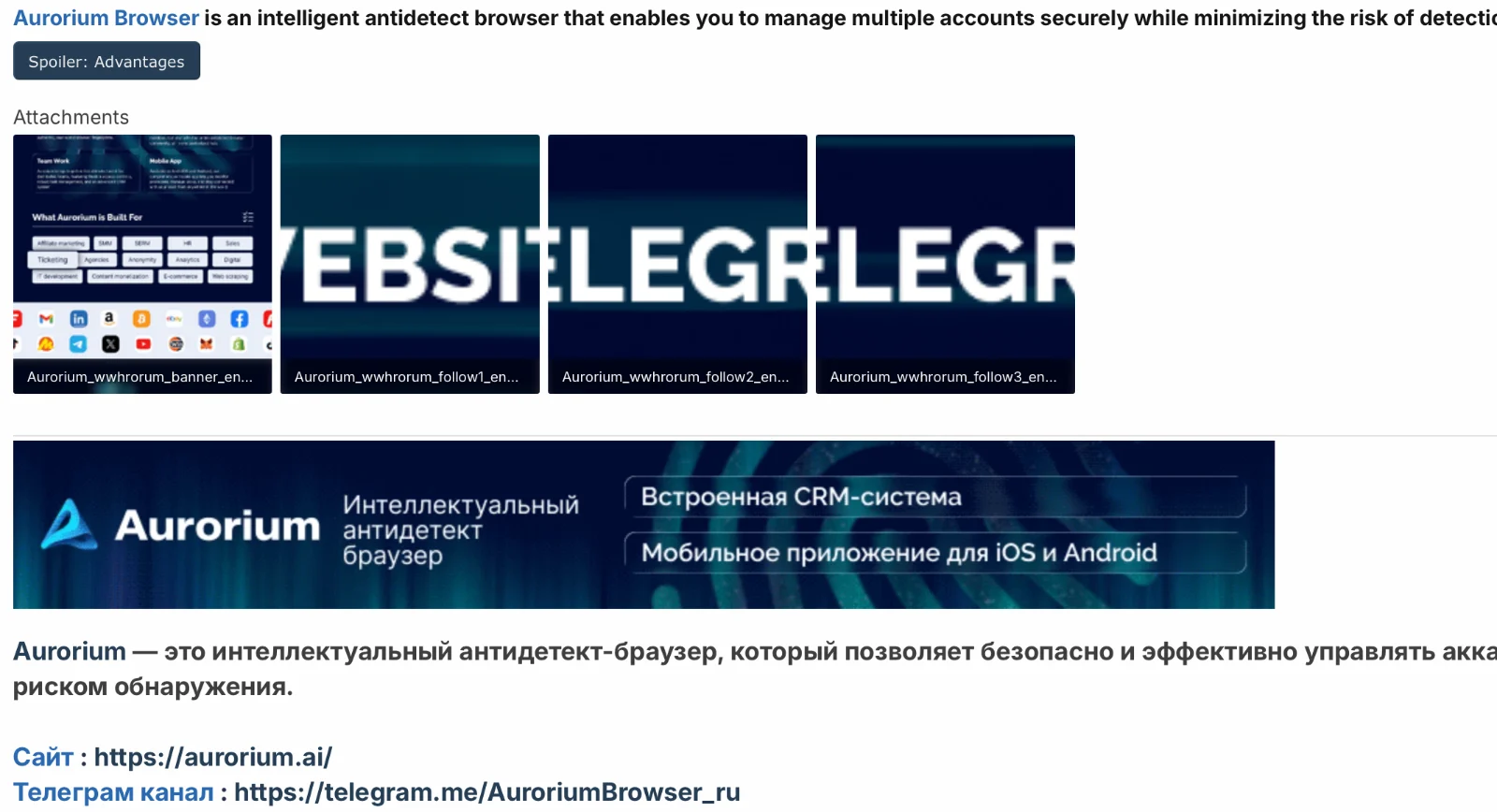
An account called “Aurorium Antidetect”, with the Aurorium logo as its picture, opened a thread titled “AURORIUM - ANTIDETECT BROWSER FOR MULTI-ACCOUTING” on WWH Club on 29 June 2026. The post opens with a banner, “Intelligent antidetect browser for multi-accounting”, calls “Aurorium Browser” “an intelligent antidetect browser that enables you to manage multiple accounts securely while minimizing the risk of detection and account bans”, and links to aurorium.ai and a Telegram channel. Its banner images are attached under file names that begin “Aurorium_wwhrorum_”.
WWH Club is not an ordinary marketing channel. When two of its alleged administrators were charged in September 2024, the Justice Department said WWH Club and its sister sites “existed solely to facilitate crime” and that the two had run them from 2014 to 2024, The Record reported: members bought and sold bank account details, passwords and other personal data, swapped tips on committing fraud and evading law enforcement, and the site ran classes; at its 2023 peak it had more than 353,000 users.
That does not make every Aurorium user a fraudster. Marketing agencies run antidetect browsers to keep client ad accounts apart, and they are a legitimate part of that trade. It does tell you whom the advertiser wants to reach. It also shows why the useful question for a website is not which browser this is but how the visit behaves: fake or tampered browser, automation, the connection, how many of your accounts the device has touched.
Put your own browser on the bench: the free scanner on the homepage returns the verdict the API returns, with every reason listed.
Open the scannerThe test
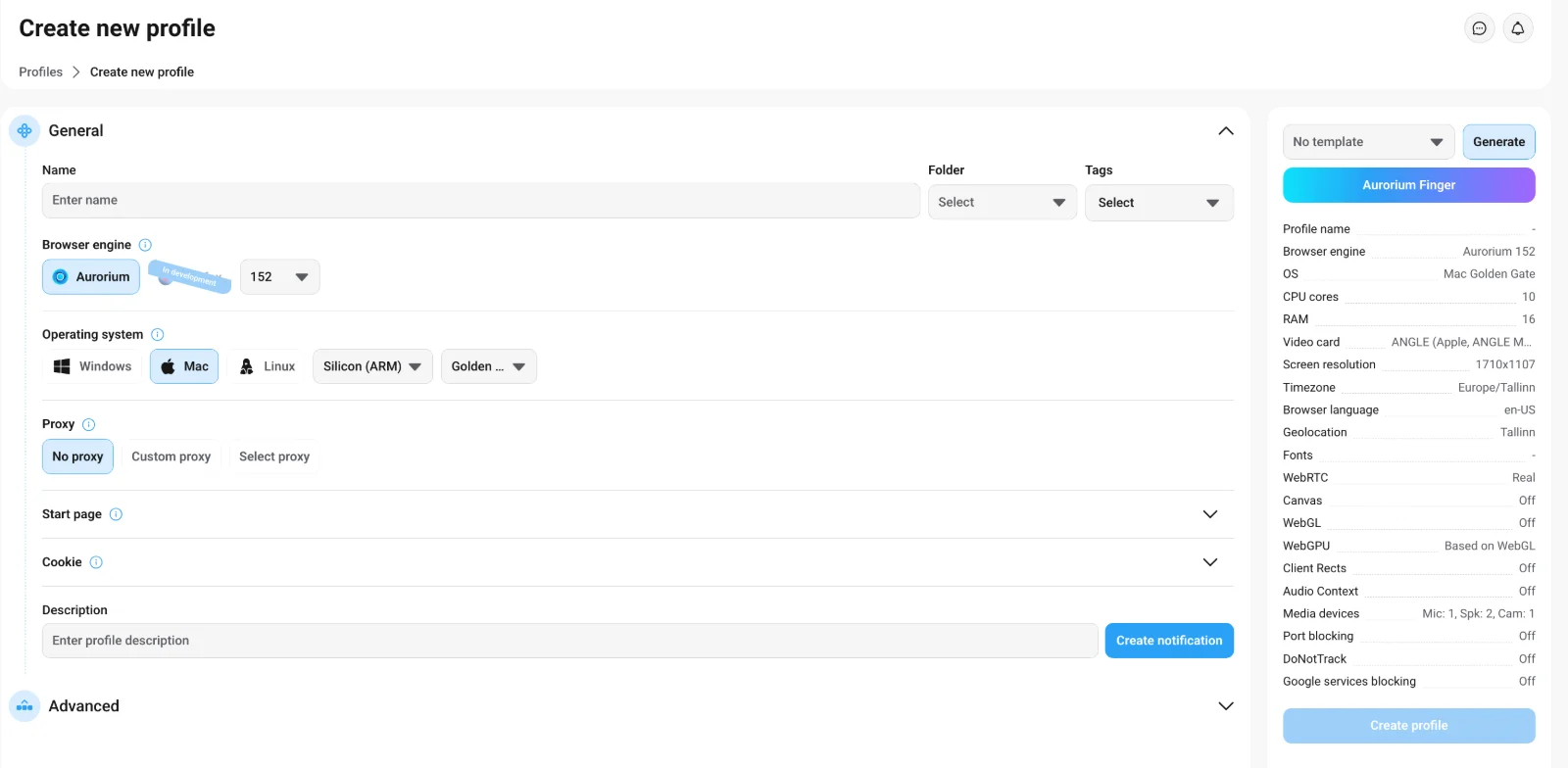
This test used Aurorium itself, downloaded from its site, not our lab harness. The machine was my own Mac. I created one profile with Aurorium’s defaults: engine Aurorium 152, operating system Mac on Apple silicon, no proxy in the profile, time zone Europe/Tallinn, browser language en-US in the editor. The editor listed canvas, WebGL, client rects and audio context as “Off” and WebRTC as “Real”, and Aurorium says it picks the fingerprint closest to the user’s real device, so this profile probably changed little about the real machine. ExpressVPN ran system-wide: the browser covers the device, the VPN covers the connection.
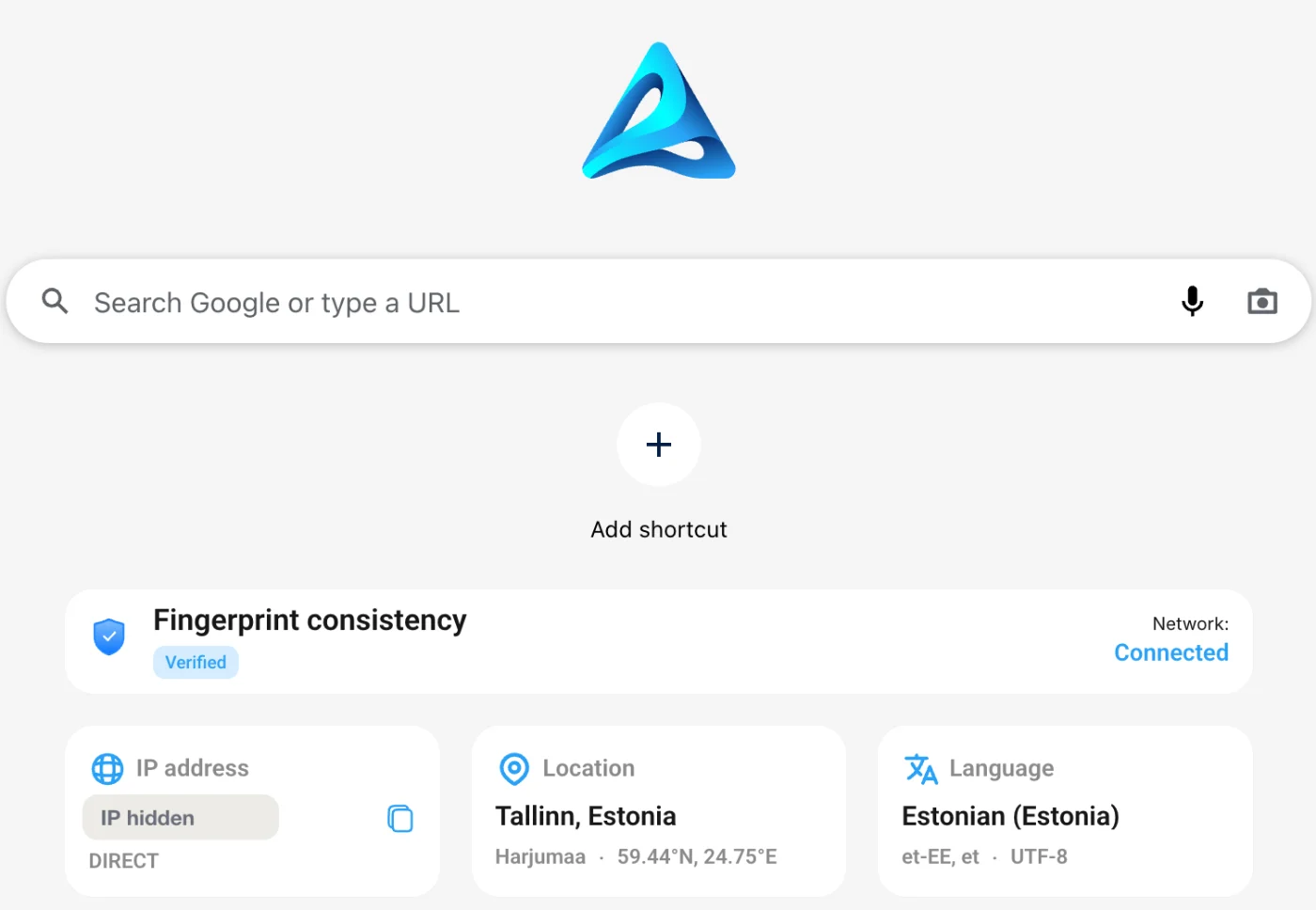
Aurorium’s own start page grades the profile before you visit anything: “Fingerprint consistency: Verified”, network connected. That is the tool grading itself. A website never sees that badge; it sees what the browser does when its page loads.
What Maskbreak saw
I opened maskbreak.com in the profile. The live check on the homepage runs the same device check and network check that POST /v1/evaluate runs for customers, plus a few rules of the page’s own. This is the first answer it gave:
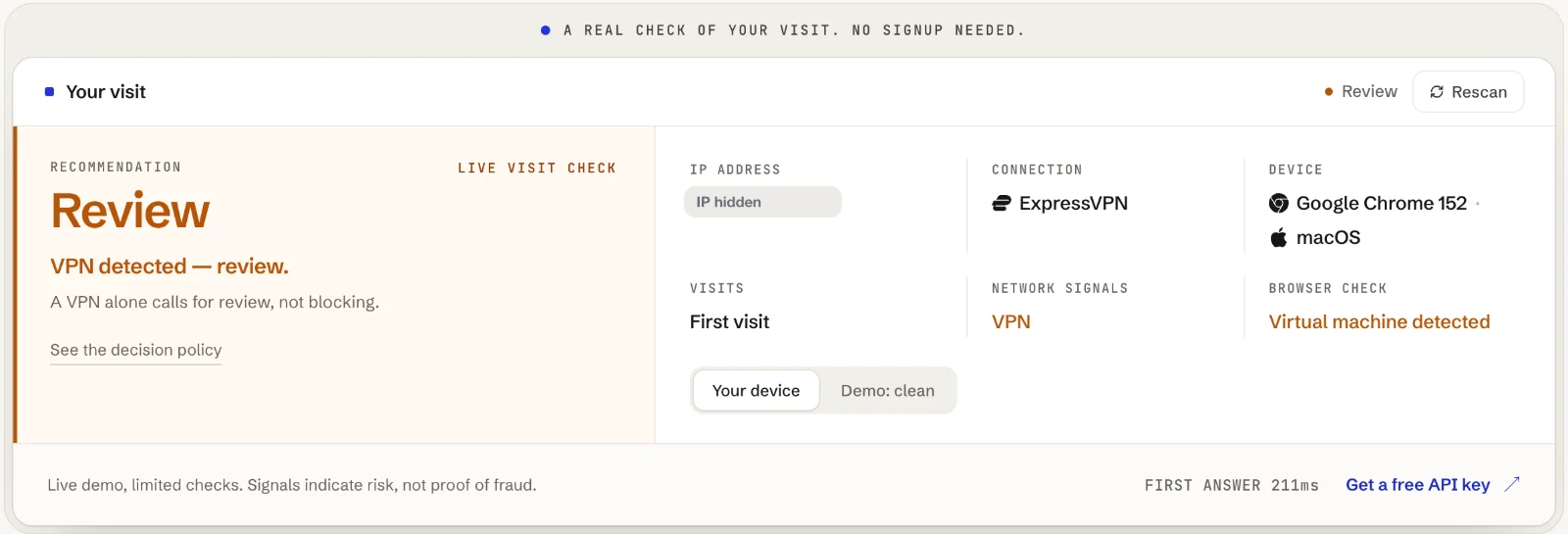
Two layers fired, independently:
- The connection. Maskbreak’s network intelligence recognised the exit as a VPN and named the service, ExpressVPN. The service is named when known; the VPN flag does not depend on the name.
- The browser. The device check reported a virtual machine. The profile ran on a physical Mac, so the browser did not read as the machine it was running on. This post does not go into which browser properties produced that reading.
What did not fire matters as much. The fake-browser flag (device.antidetect) stayed false, and no automation was seen, because a human was clicking. A fake browser or a script blocks; a VPN on its own or a virtual machine on its own asks for review. So the answer was review, not block. The API answer for a visit like this one, computed with the same code that answers customers:
The virtual-machine reading comes from the browser, not from the connection: switching the VPN off would change the network answer, not that one. Had neither fired, the answer would have been allow. A profile that changes little about the real machine gives a device check little to contradict. That is the honest limit of any device check, and it is why the connection and your own account counters are separate layers.
What a review should do in your app
A review is a question, not a verdict. For a signup or a first payment from a visit like this one:
- Add a step a real person can pass: verify the email, confirm a phone number, or hold a payout or a bonus until a person looks.
- Count per device, not per IP. Send your own
accountIdwith each check anddevice.linked_accountstells you how many of your accounts the same device has been seen with. It catches one browser or profile reused for several accounts; a fresh profile per account can read as a new device each time (this one read “First visit”), so keep the review step too. Links stay inside your account, stored as one-way hashes. - Set your own rules. The console’s Rules tab changes the action per signal for your whole account, for example VPN to Block, and a rule changes the answer only for the signal it names. A virtual machine has no rule of its own: it stays a review, and your code can read
device.virtual_machinewhere it should count for more, such as checkout. - Start in watch mode. Log the decisions for a week, then enforce. The integration guide has both.
Test your own antidetect browser
You do not have to take my screenshots on trust. Open maskbreak.com in the profile you want to test, with the proxy or VPN you actually use, and read the live check at the top of the page: the decision, the connection, the device and the browser check, with no signup. The IP lookup page shows the same connection as a list of checks. Change one thing at a time (proxy, fingerprint template, automation) and rescan. If a setup you think should be caught reads Allow, send it to support@maskbreak.com; misses are how the checks get better.
Earlier live tests: Kameleo and Undetectable. For the detection side in depth, read how antidetect browsers are detected and whether to block or review them; the antidetect hub covers the other browsers one by one, and the mobile proxy test from the same day shows the connection side.
Maskbreak’s Free plan includes 10,000 visitor checks a month with no credit card; paid plans start at €29 a month, and every plan has the device check and the network check. Your server calls /v1/evaluate with the key from MASKBREAK_API_KEY; the quickstart has the handler.
Questions people ask
- What is Aurorium?
- Aurorium is an antidetect browser for multi-accounting, launched in 2026 by AURORIUM GROUP PTE. LTD. of Singapore. It appears to be built on Chromium (the profile editor lists the engine as Aurorium 152 and it reports itself as Chrome 152), generates fingerprints with what it calls AI from a database of real devices, says it hides open developer tools from websites, supports SOCKS5, HTTP and SSH proxies and Selenium, Playwright and Puppeteer automation, and costs from $10 a month for 5 profiles to $299 for 1,000.
- Can Aurorium be detected?
- In our test on 30 September 2026, a default Aurorium profile on a Mac with ExpressVPN on was flagged for review on its first visit to Maskbreak’s live check: the VPN was detected and named, and the browser read as a virtual machine although it ran on a physical Mac. The fake-browser flag did not fire, so the decision was review rather than block. A different fingerprint template, proxy or setup can read differently, so test your own on maskbreak.com.
- Is Aurorium advertised on WWH Club?
- An account named Aurorium Antidetect, with the Aurorium logo as its picture, opened a thread titled "AURORIUM - ANTIDETECT BROWSER FOR MULTI-ACCOUTING" on WWH Club on 29 June 2026; the post links to aurorium.ai and a Telegram channel, and its banners are attached under file names beginning "Aurorium_wwhrorum_". When two of the forum’s alleged administrators were charged in 2024, the US Justice Department said WWH Club and its sister sites existed solely to facilitate crime.
- Should I block every antidetect browser?
- Not blindly. Marketing agencies use antidetect browsers to keep client accounts apart, so a blanket block can hit real customers. Maskbreak blocks a fake or tampered browser by default and asks for review on a VPN or a virtual machine on its own. The console Rules tab changes the action per signal for your account (a virtual machine has no rule of its own and stays a review), and device.linked_accounts shows when one device is used for several of your accounts; a separate profile per account can read as separate devices, so keep a review step as well.
- How do I test my antidetect browser against Maskbreak?
- Open maskbreak.com in the profile, with the proxy or VPN you actually use. The live check at the top of the page runs the device and network checks behind the /v1/evaluate API and shows the decision, the connection, the device and the browser check, with no signup. Change one setting at a time and rescan.
Run the same check on your traffic
The free scanner on the homepage returns the verdict the API returns: network and device signals in one call, with every reason listed. What each signal means: bot detection and device fingerprinting.